Weight and balance
Choose the aircraft
Confirm the variant before entering passenger or cargo quantities.
Load through the FSS EFB
Apply fuel and payload using the EFB. FSS warns that the MSFS weight menu and GSX payload can conflict with its custom CG model.
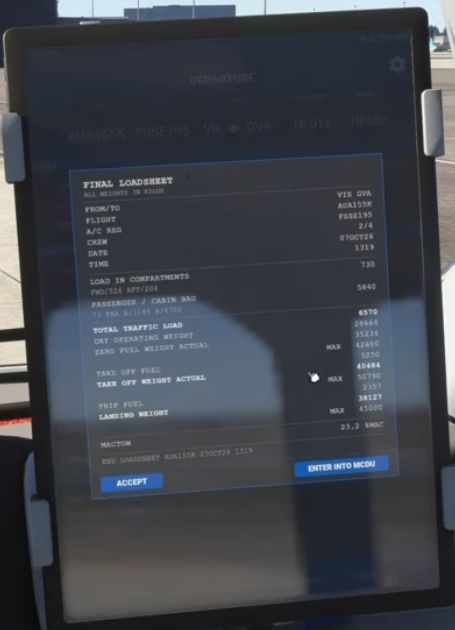
Open the final loadsheet
Read zero-fuel weight, takeoff fuel, takeoff weight and MACTOW. Check that the units are consistent.
Check the envelope
Use the simulator’s applicable weight-and-balance information. A weight below a maximum does not alone establish that the centre of gravity is acceptable.
Find trim
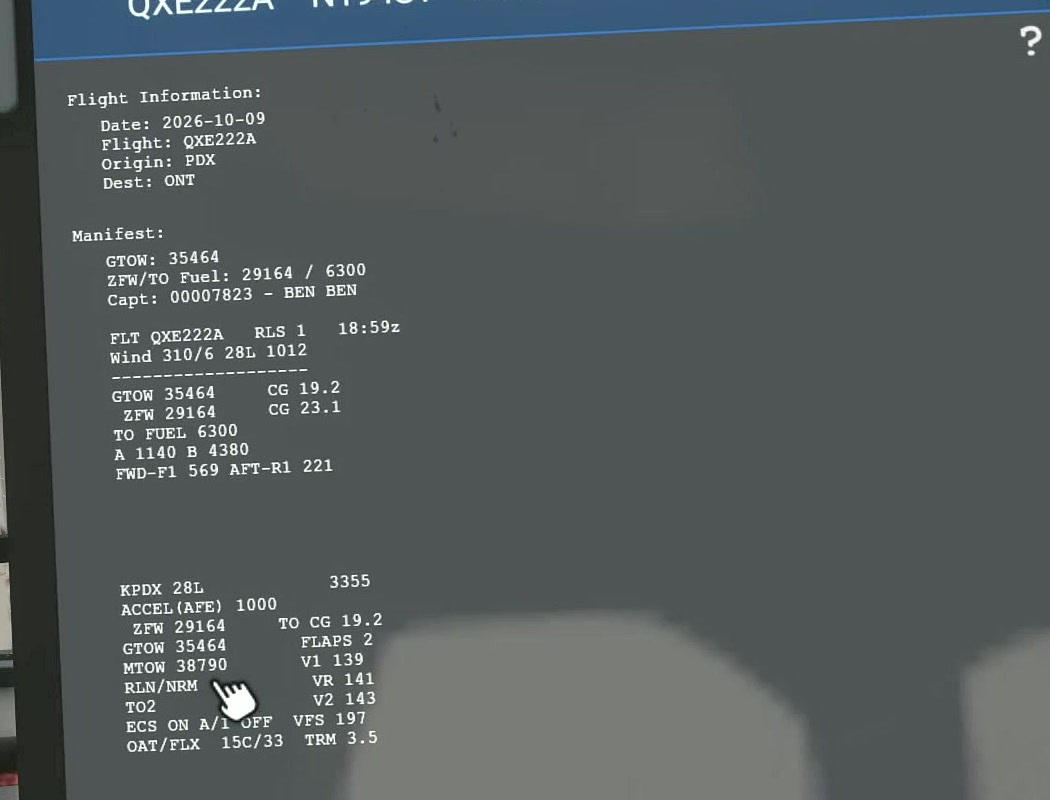
Open the manifest and note TRM for the actual load and flap setting.
Set and check trim
Set pitch trim and compare the EICAS actual value with TRM and the green takeoff band.
Recheck after loading changes
A payload or fuel change can change weight and centre of gravity. Recheck the manifest and related takeoff data.
MACTOW is the takeoff centre of gravity expressed as a percentage of mean aerodynamic chord. It is a balance figure, not a weight. Compare it with the values used for the takeoff calculation. [14]