Takeoff configuration
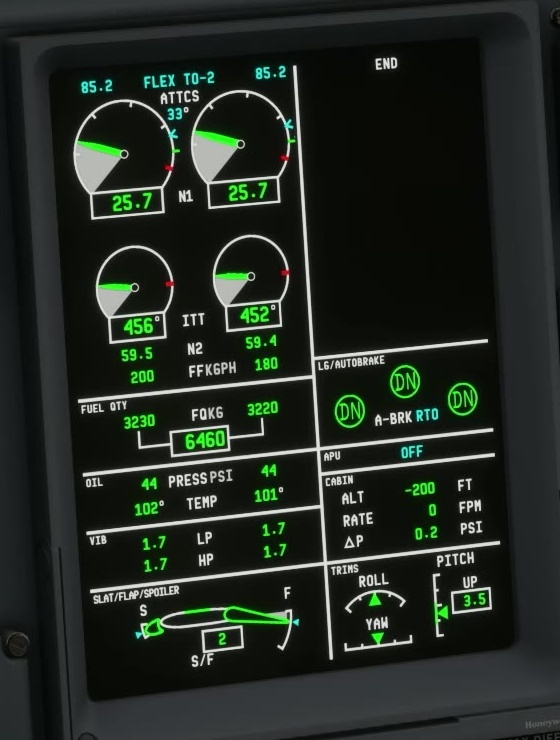
FSS describes the T/O CONFIG test as checking that the actual flap setting matches the FMS setting, the parking brake is off, pitch trim is in the green band and spoiler panels are not deployed. It does not check that both engines are running.
Compare the flap settings
Compare the takeoff page, lever position and EICAS indication. Allow the surfaces to reach their commanded position.
Set and inspect trim
Use the trim value from the applicable manifest; compare the actual EICAS indication with the value and band.
Parking brake and speedbrake
Verify the speedbrake and parking brake condition. Run this check at an appropriate point in the ground flow, when the aircraft is secured by the appropriate means.
Run the test
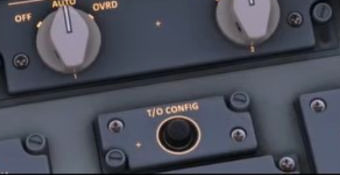
FSS says to hold T/O CONFIG for three seconds. Listen and read the indications; do not release immediately.
T/O CONFIG warning
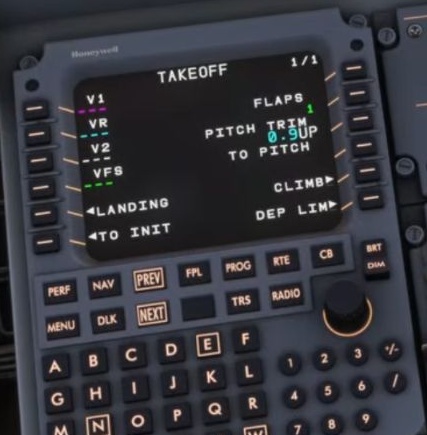
Stop and identify the mismatched condition. Recheck the relevant EICAS and MCDU values after correcting it, then repeat the test.
The FSS page does not say the test validates runway length, weather, thrust calculation or both engines. Those remain separate checks.
The neighbouring EICAS FULL button controls how much engine information is shown. Press it in for the full display; press it out to allow automatic decluttering. FSS says decluttering is disabled with the gear extended or the slats/flaps out of zero. It describes automatic decluttering after gear and flap retraction when all parameters are normal. FSS EICAS FULL [31].