Read EICAS alerts
Read the whole message
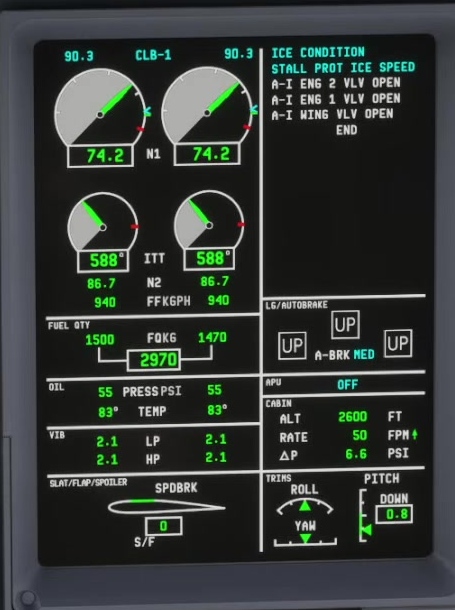
Identify the affected system and priority. FSS shows warnings in red, cautions in amber, advisories in cyan and status messages in white.
Alert priority
Maintain aircraft control and address the flight path before becoming absorbed in a display.
Read the rest of the stack
Use the CCD to review messages above or below the visible area. FSS says warning messages are not scrolled out of view.
Related system
A chevron can identify a root message associated with other messages. Review the full context rather than treating every line as an unrelated event.
Open the relevant synoptic
Compare the alert with the relevant system indications.
Compare the reported message with source, valve, pump, pressure or temperature indications as appropriate.
FSS procedure
A catalog description is not automatically a corrective checklist.
Use the current simulator guidance for the specific message. A catalog entry explains what can trigger a message; it is not automatically a corrective checklist.
FSS says some messages are inhibited during takeoff or during approach and landing. A quiet stack is not a complete aircraft systems test. [102]