Start with NAV IDENT
Apply power
Allow the MCDU to start. FSS says the initial page is RADIO.
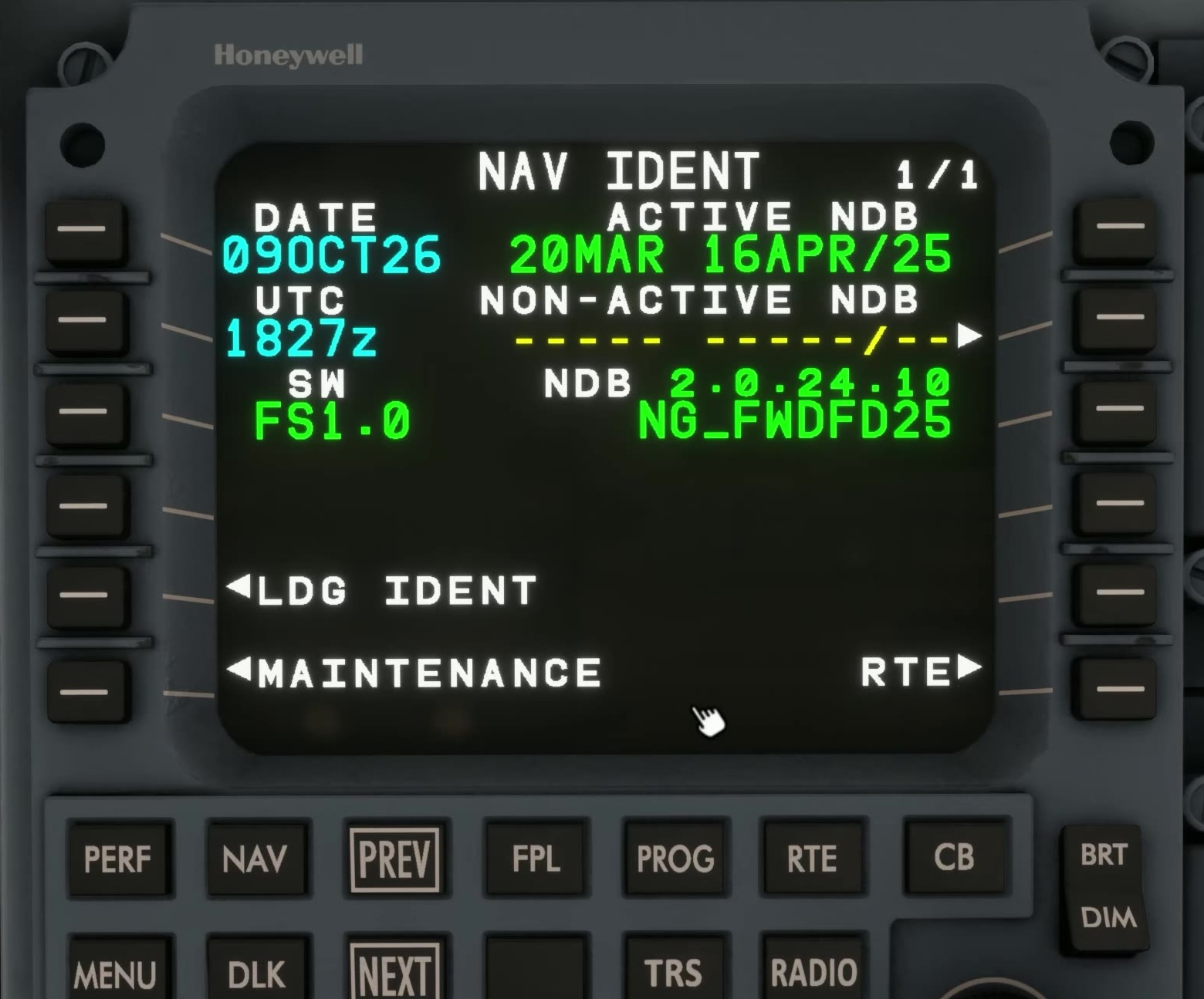
Open NAV IDENT
FSS says NAV IDENT must be displayed once before RTE, FPL, PERF, PROG or NAV can be used. In the E175 1.0.1 example, pressing PROG brings up NAV IDENT first. After the initial check, it is also available through NAV INDEX 2/2.
Check the cycle
Compare the active navigation database cycle with the flight’s charts and planning data.
Check the time context
Review date and UTC as described on NAV IDENT. A correct-looking route with an out-of-date database still needs scrutiny.
Update if needed
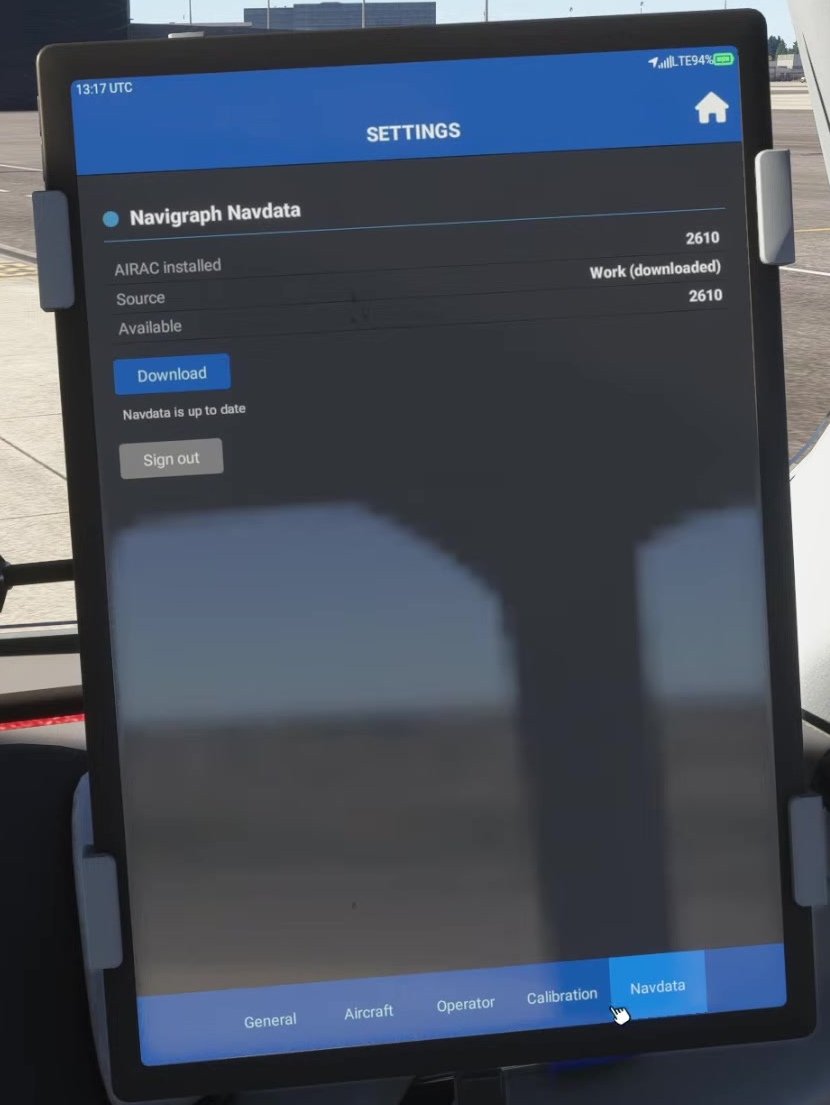
FSS directs you to EFB → Settings → Navdata to update the navigation data, or to its desktop fallback. Once updated, check the active cycle on NAV IDENT against the charts and plan.
Proceed to the route
Open RTE only after the identification check. Cross-check imported procedures and transitions against current charts.
A waypoint can exist in two database cycles but have a different procedure, restriction or runway association. Check the whole route, not only the airport codes. [19] [85]