PERF INIT confirmation
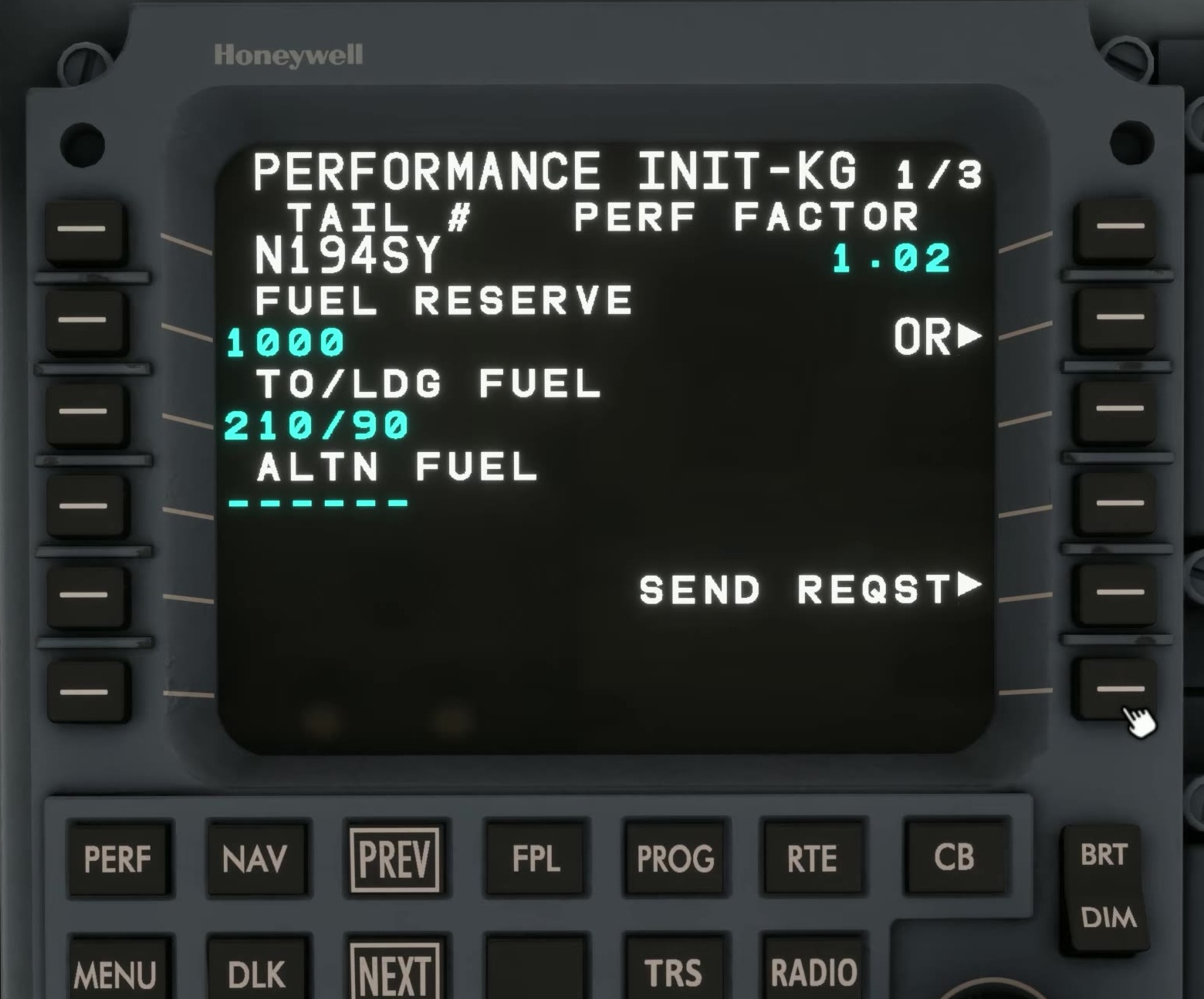
Open PERF
Press the PERF function key. On PERF INDEX select PERF INIT.
Inspect page 1
Read the reserve and flight-plan information. If you request SimBrief data, compare it with the actual EFB load.
Move to page 2
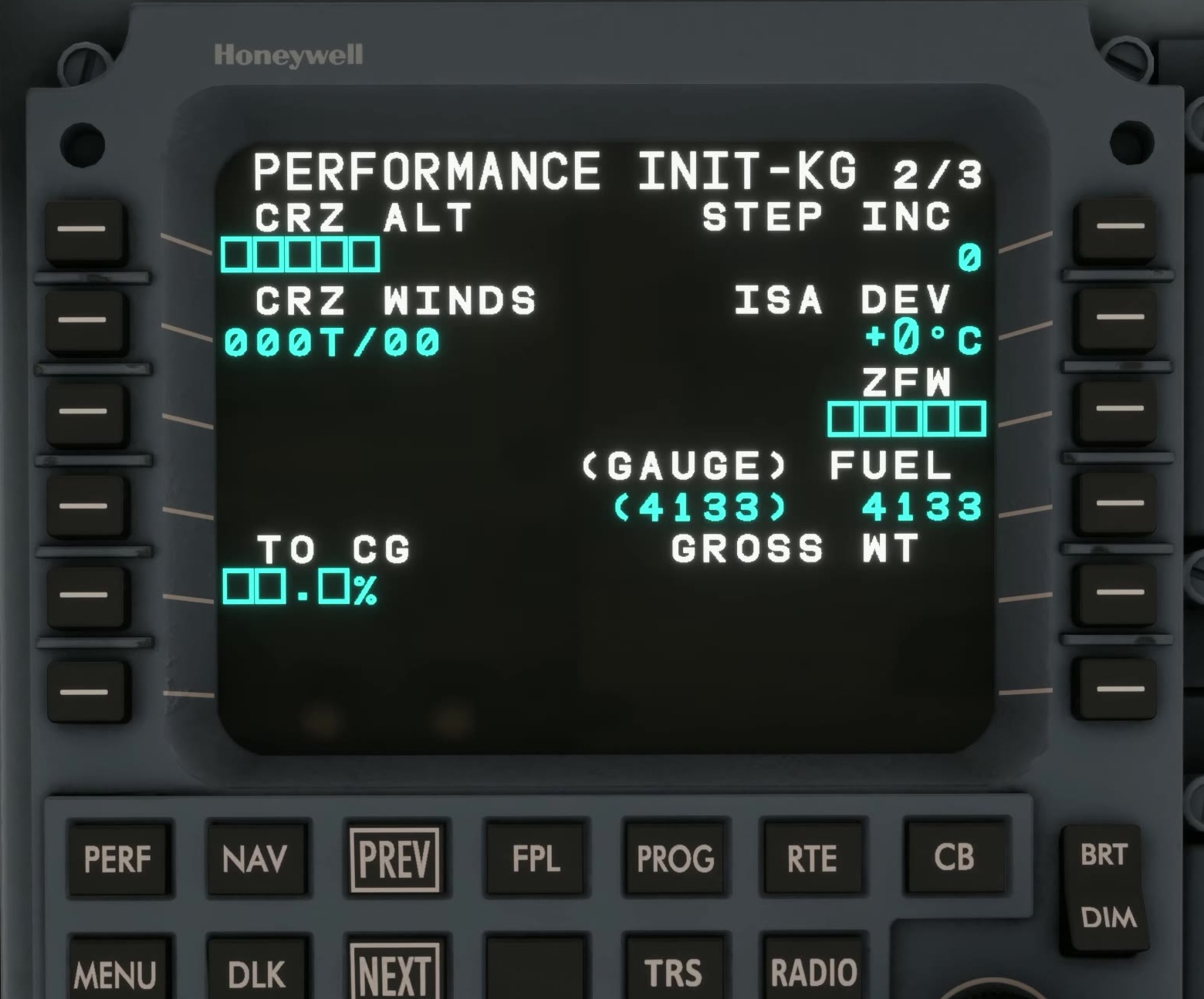
Press NEXT. Check cruise altitude, zero-fuel weight, fuel, takeoff CG and gross weight. Correct any mismatch.
Move to page 3
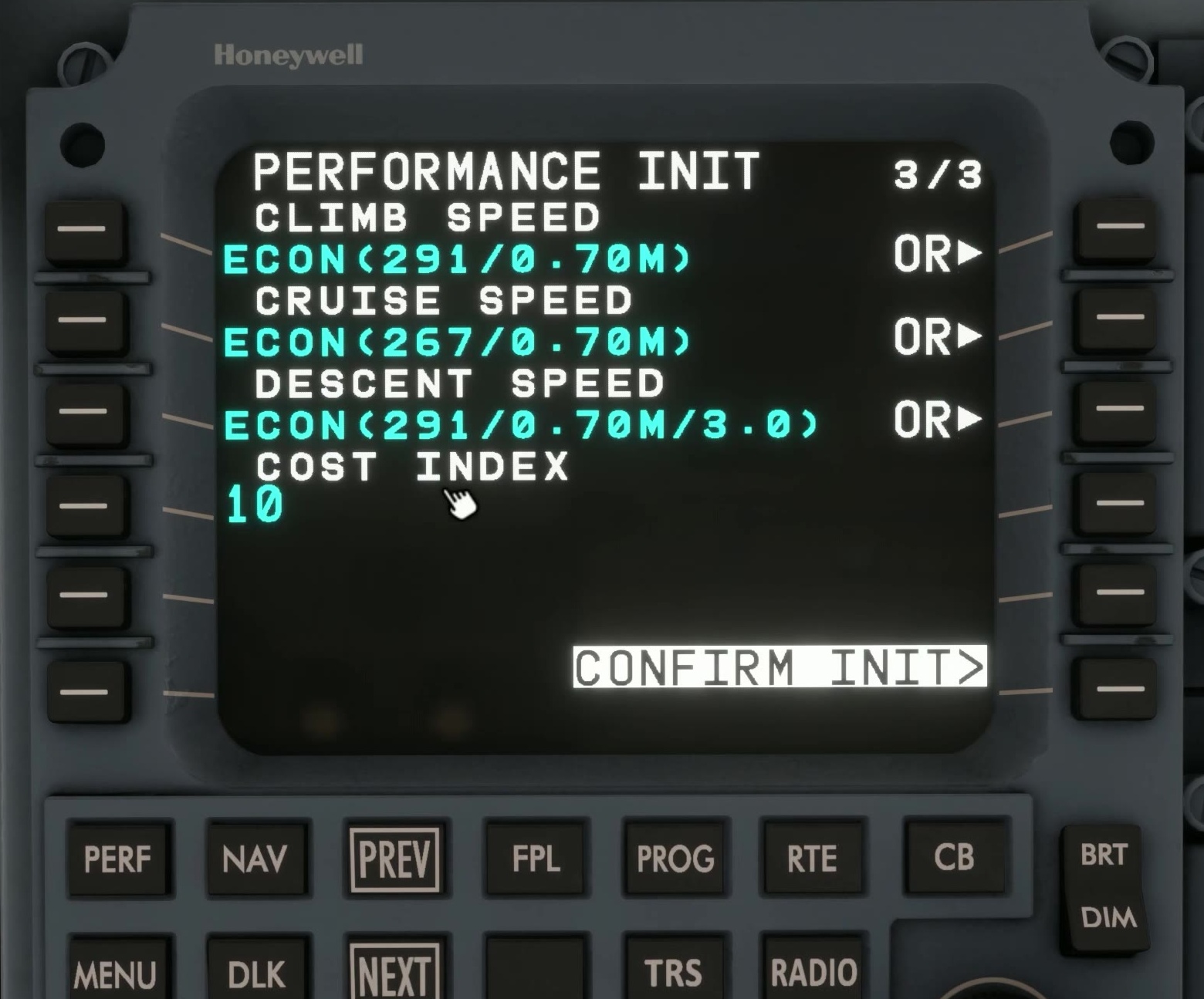
Press NEXT again. Check the climb, cruise and descent speed schedules and cost index.
Find the confirmation
Look at the lower right. When all required inputs are complete, FSS says CONFIRM INIT appears at line-select key 6R.
Confirm the data
Select CONFIRM INIT. The prompt changes to PERF DATA.
Open PERF DATA for the predictions. TOC and TOD appear on the map when the profile provides them.
After an input changes
Return to PERF INIT 3/3, review the changed data and press CONFIRM INIT again. FSS says this is required before the vertical profile is recalculated. [24]