MCDU / ROUTE
Runway, departure and transition
Read the clearance
Identify the runway and any assigned SID and transition. Compare their names with the current chart.
Open departure
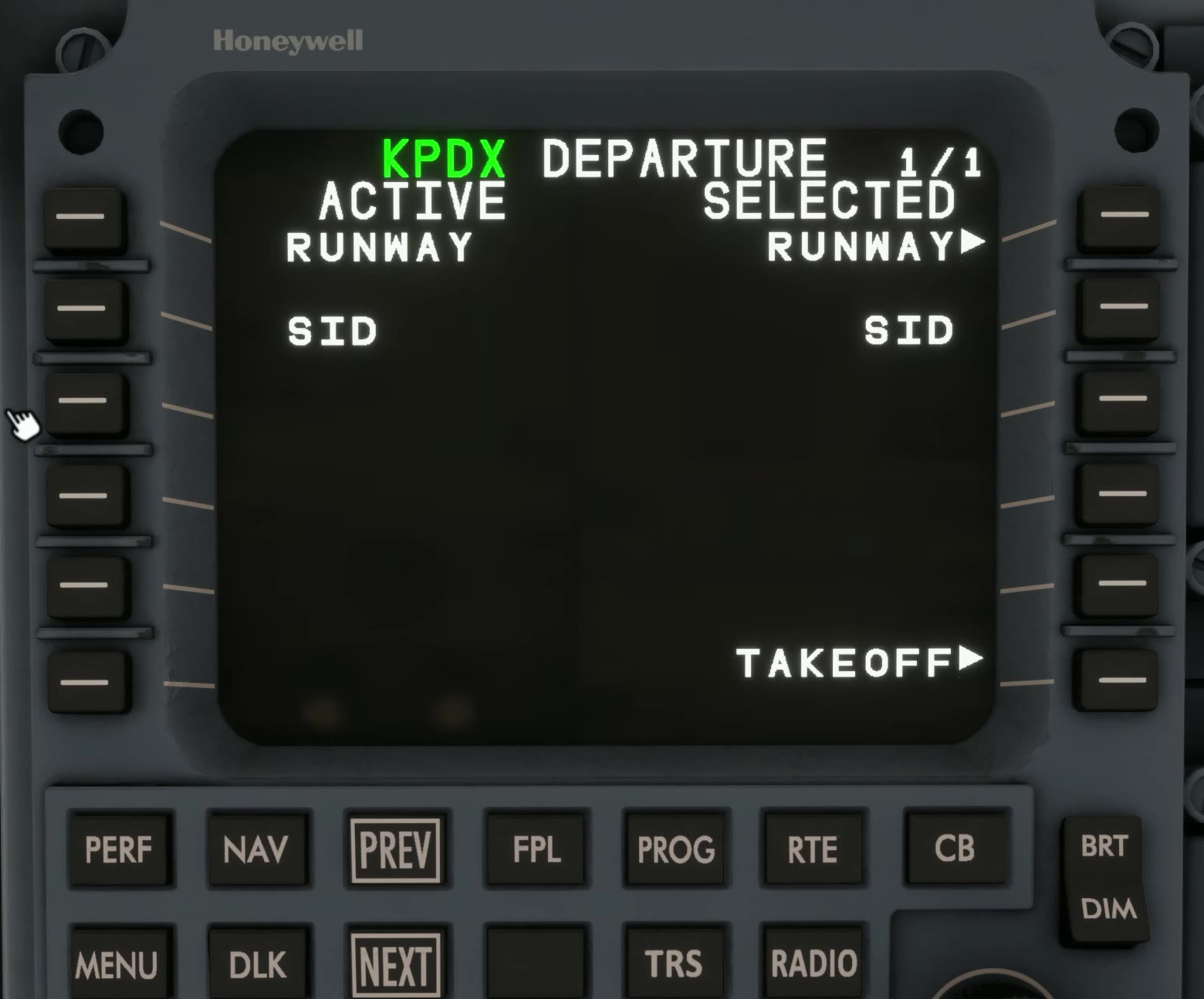
From RTE select the departure workflow described by FSS.
Choose the runway
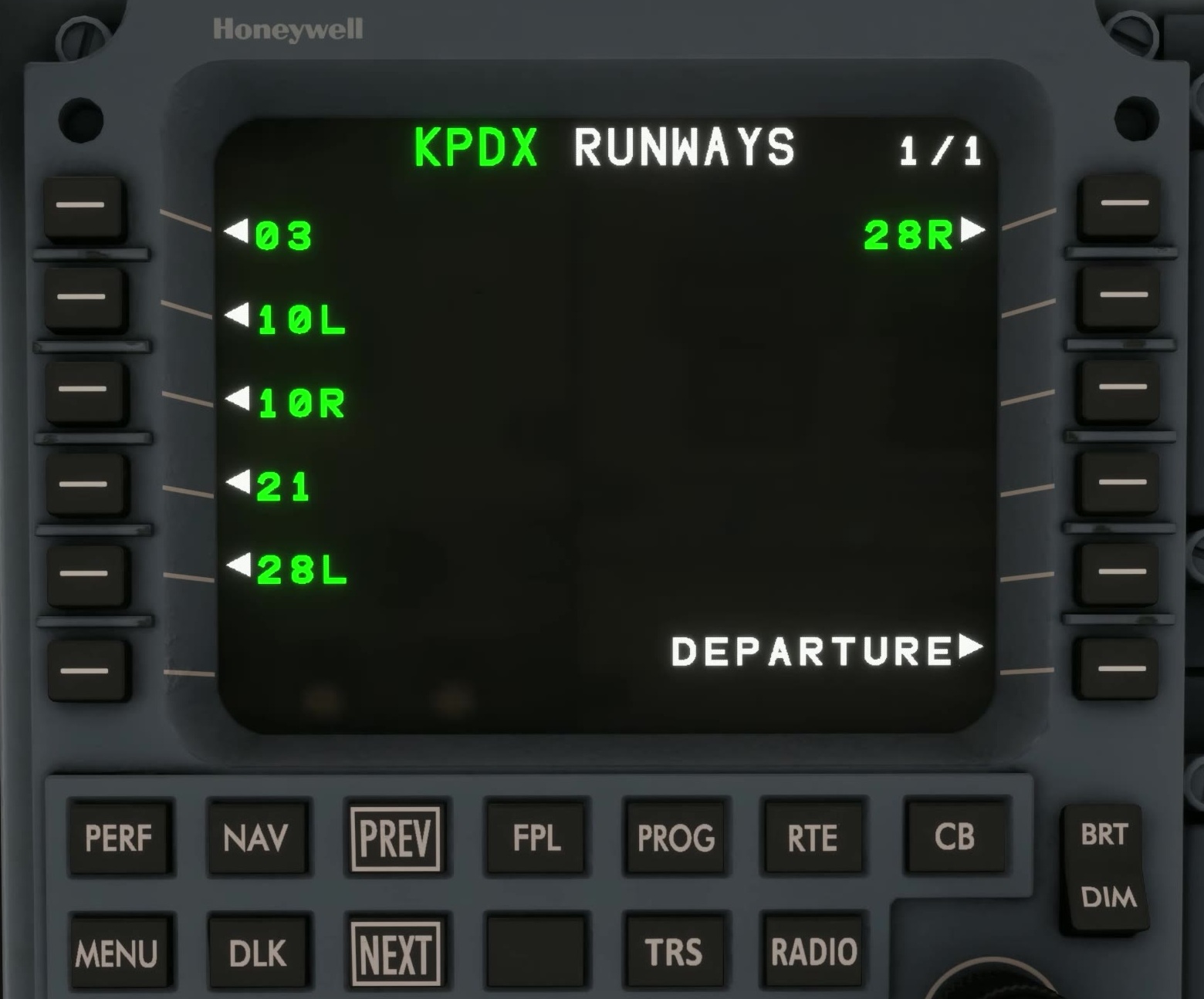
Select the departure runway and confirm the resulting choice on the page.
Choose the SID
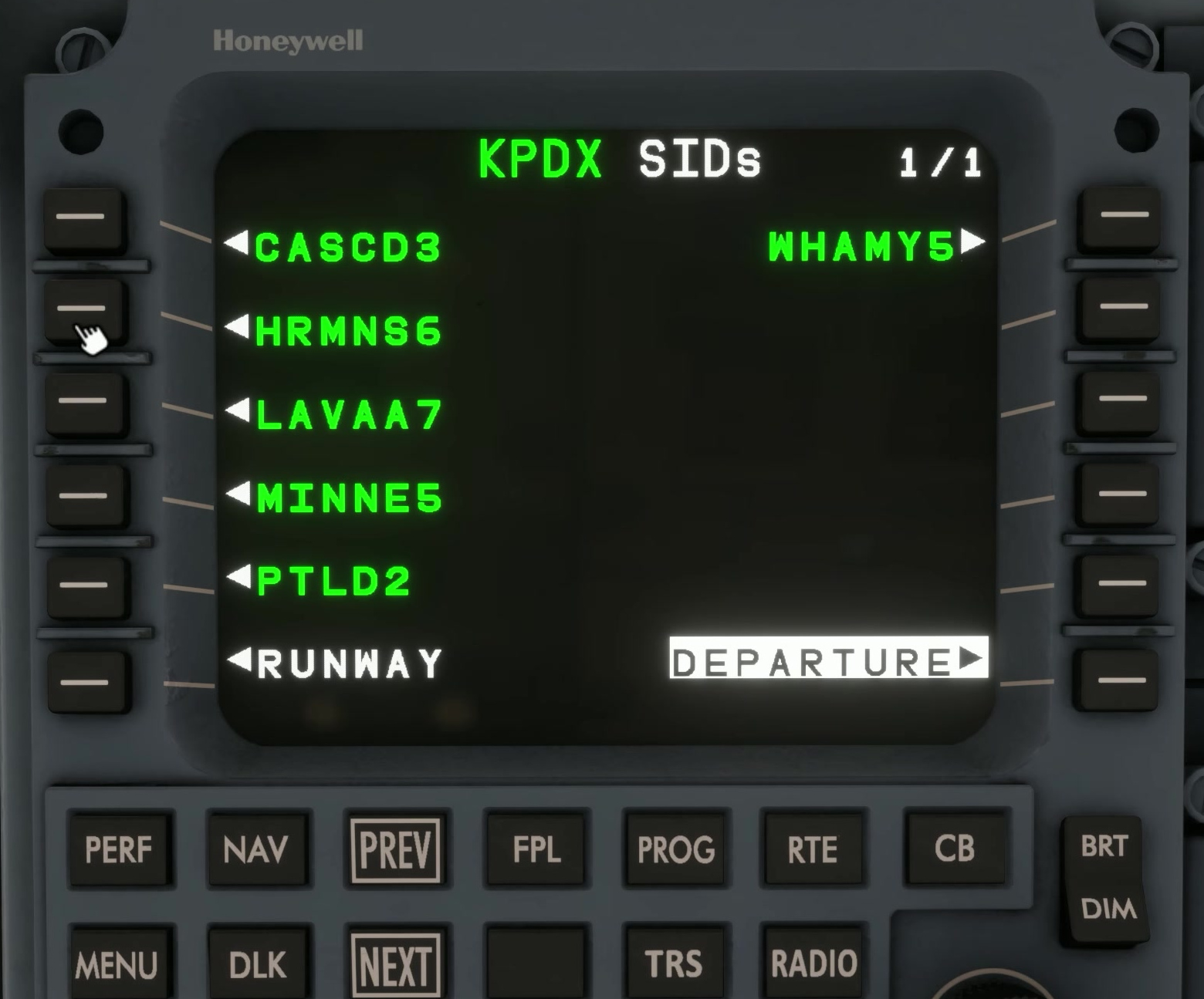
If a SID is assigned, select it and any required transition. Check that the procedure is compatible with the selected runway.
Apply
Use APPLY or INSERT/APPLY as presented to place the choice in the MOD plan.
Review the legs
Inspect the modified flight plan and map against the chart. Check turns, waypoints, altitude constraints and any deliberate discontinuity.
Activate
Only after the proposal matches the intended clearance, activate it and verify the active plan. [87]