PRACTICE LAB / BRAKES
Autobrake selection and status
Select autobrake
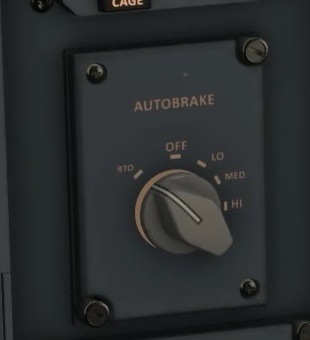
Before landing in a suitable practice scenario, select an appropriate autobrake mode. [123]
Compare the selected knob position with the indication on EICAS.
RTO and landing modes
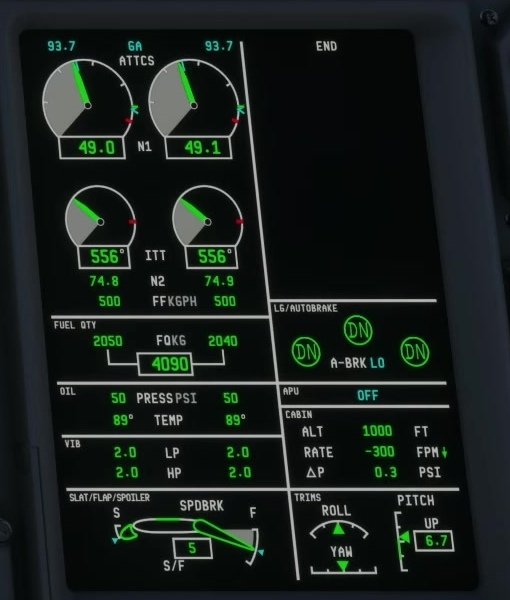
FSS describes the selector as choosing a deceleration mode and the EICAS as showing the autobrake state. RTO is the rejected-takeoff selection; FSS lists engagement with wheel speed above 60 kt, thrust levers at IDLE or REV, and brake pedals released.
Check the displayed mode and armed status before touchdown.
Pedals and CAS
System / pedals / CAS
Check system availability, brake pedal inputs and the relevant CAS indications if the expected armed state is absent.