Takeoff trim calculation
The FSS manifest can provide a trim setting for the loaded aircraft. The takeoff page also contains TO pitch, a flight-director reference. They are displayed in the same preparation sequence, but they are not interchangeable.
Load the correct variant
Choose the actual E170, E175, E190 or E195 and apply the load in the FSS EFB.
Check weight and balance
Read the final load sheet, including takeoff CG or %MAC, and verify the planned flap configuration.
Set pitch trim
Use the applicable calculated setting. Compare the actual trim indication with that setting and the permitted band shown by the simulator.
Set takeoff data
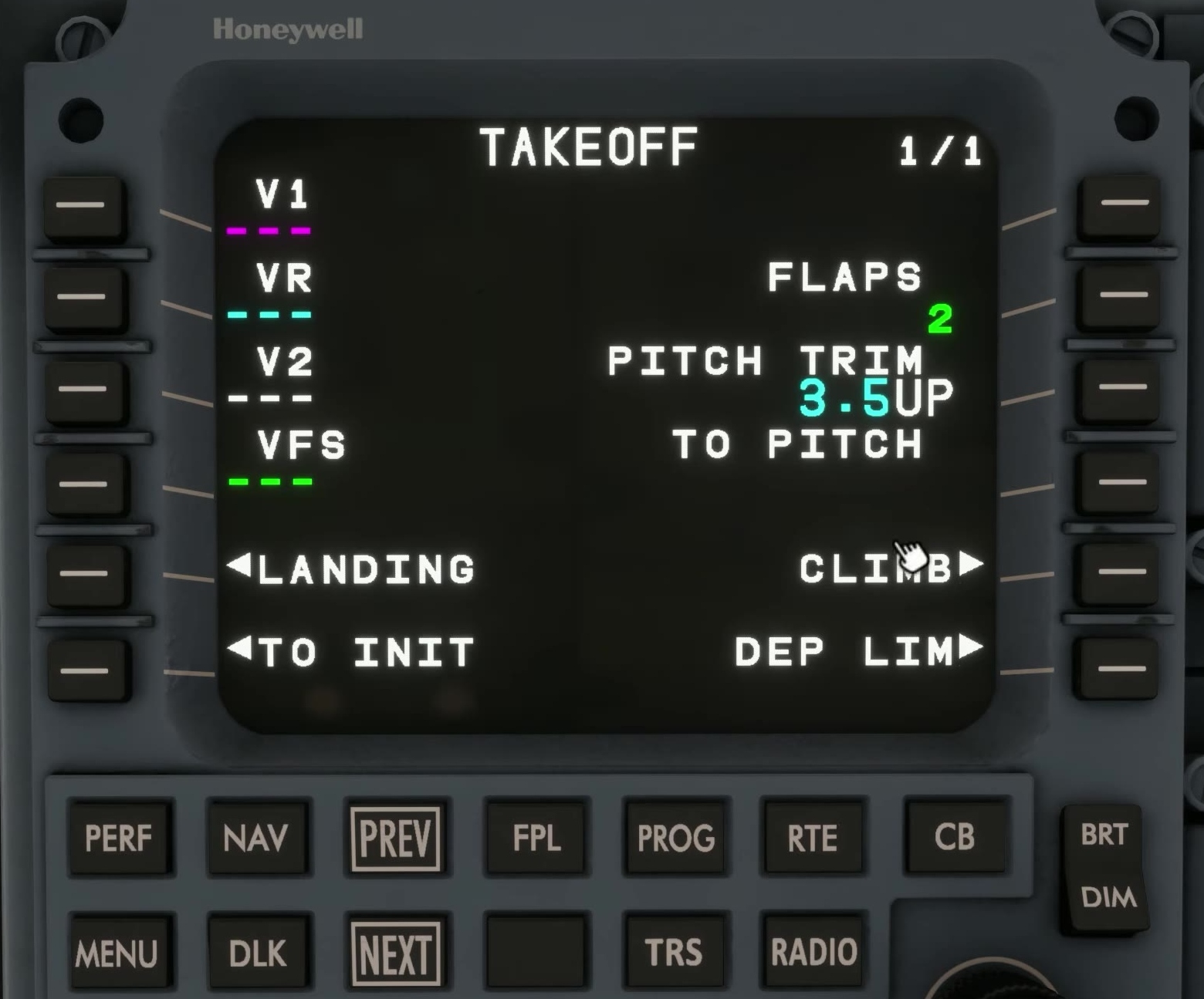
Enter and verify the relevant speeds and configuration on the takeoff page. Complete the TRS dataset where required and accept the data.
TO pitch reference
FSS describes the initial TO pitch as guidance derived from the aircraft and takeoff inputs. Watch the actual command and FMA; do not type the trim value as a pitch attitude.