PRACTICE LAB / FLIGHT CONTROLS
Flap command and position
Select flap position
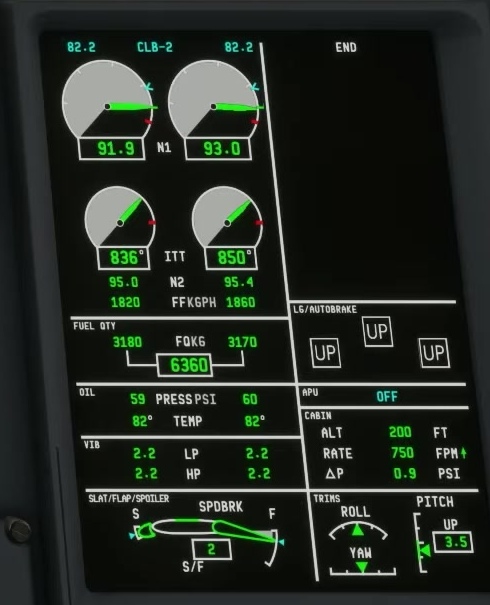
With the aircraft in a suitable safe state, display EICAS and note the slat/flap position. [126]
Select an appropriate flap position within the relevant speed and operational limits.
Transit and jam indications
Compare the cyan commanded indication with the actual green surface depiction and transit readout.
FSS distinguishes commanded and actual slat/flap positions; green dashes indicate transit.
Flap and speed
FSS says a jammed surface produces an amber boxed readout, which shows the more retracted surface position. The documentation does not state the exact conditions the add-on uses to detect a jam.