Takeoff data and aircraft setup
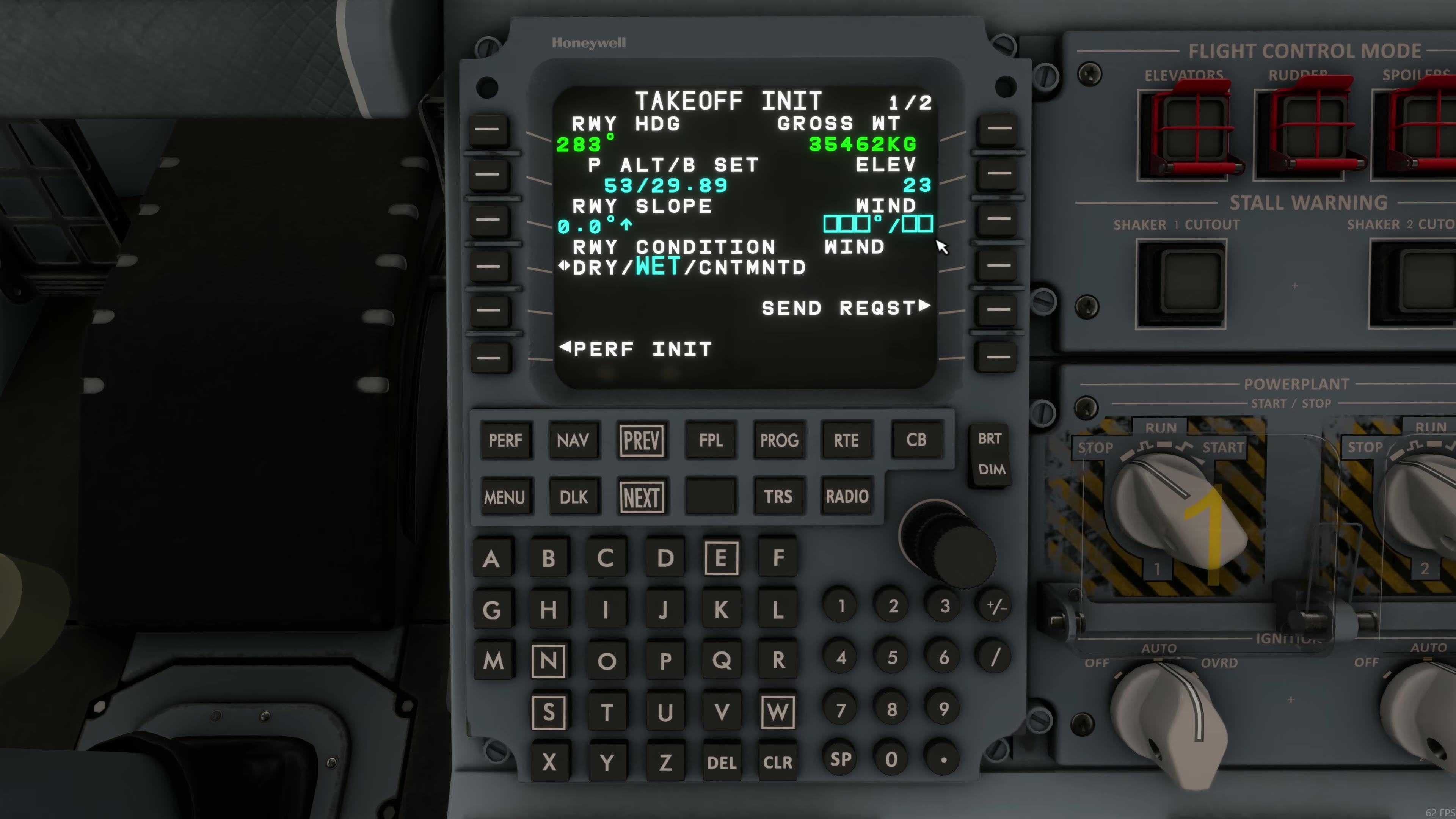
TAKEOFF INIT brings the departure runway and performance inputs together. Compare the gross weight, runway heading, pressure setting, elevation, slope, wind and runway condition with the information for this departure. The figures in the photograph belong to another flight.
The EFB manifest has an optional ENTER INTO MCDU helper. FSS describes it as entering values into the MCDU scratchpad. Check that each value reaches the intended field. Compare the MCDU speeds and flap setting with the manifest, then check the actual trim on EICAS.
Aircraft load
Use the EFB manifest for the loaded variant and planned departure. Confirm the runway and weather used for the calculation.
Select the dataset
On TRS, open the takeoff dataset menu. Review the thrust rating, takeoff temperature and relevant configuration references. Check ATTCS is ON: FSS prohibits takeoff with ATTCS OFF.
Check bleed and anti-ice
Compare REF ECS and REF A/I with the actual intended takeoff configuration. REF A/I offers OFF, ENG or ALL: respectively neither system, nacelle only, or wing and nacelle anti-ice.
Accept the dataset
FSS says the data is transmitted after the ENTER prompt. Confirm the active selections rather than merely viewing the page.
Set speeds and flap
On TAKEOFF, enter or verify the calculated values and actual flap selection. Review the speed bugs on the PFD.
Set trim
Use the manifest TRM for the actual load and compare it with the EICAS indication and green band.
Recalculate after changes
If runway, weather, load or system configuration changes, reconsider the whole dataset and performance calculation. [115]
TO TEMP and FLEX are different entries. FSS describes TO TEMP as a correction to the measured probe temperature, used by the FADEC until 1,700 ft above takeoff altitude. FLEX uses an assumed temperature for reduced takeoff thrust. Use the values required by the actual calculation.
A manually selected thrust rating can revert to AUTO. FSS lists initial detection of an engine-out condition, transition to go-around guidance, and an airborne configuration with gear and flaps extended. Read the active rating after a change in flight phase or configuration. FSS TRS [115]. [75]