Missing TOD or vertical profile
Check the flight plan
Confirm the origin, destination and active route. Check for pending changes and route gaps.
Review PERF INIT
Check cruise altitude, fuel, ZFW, takeoff CG and gross weight against the loaded aircraft. FSS lists these five entries as required for CONFIRM INIT to appear.
PERF INIT 3/3
If CONFIRM INIT is displayed, press it and check that it changes to PERF DATA. If PERF DATA is already displayed, open it to review the predictions.
Review the predictions
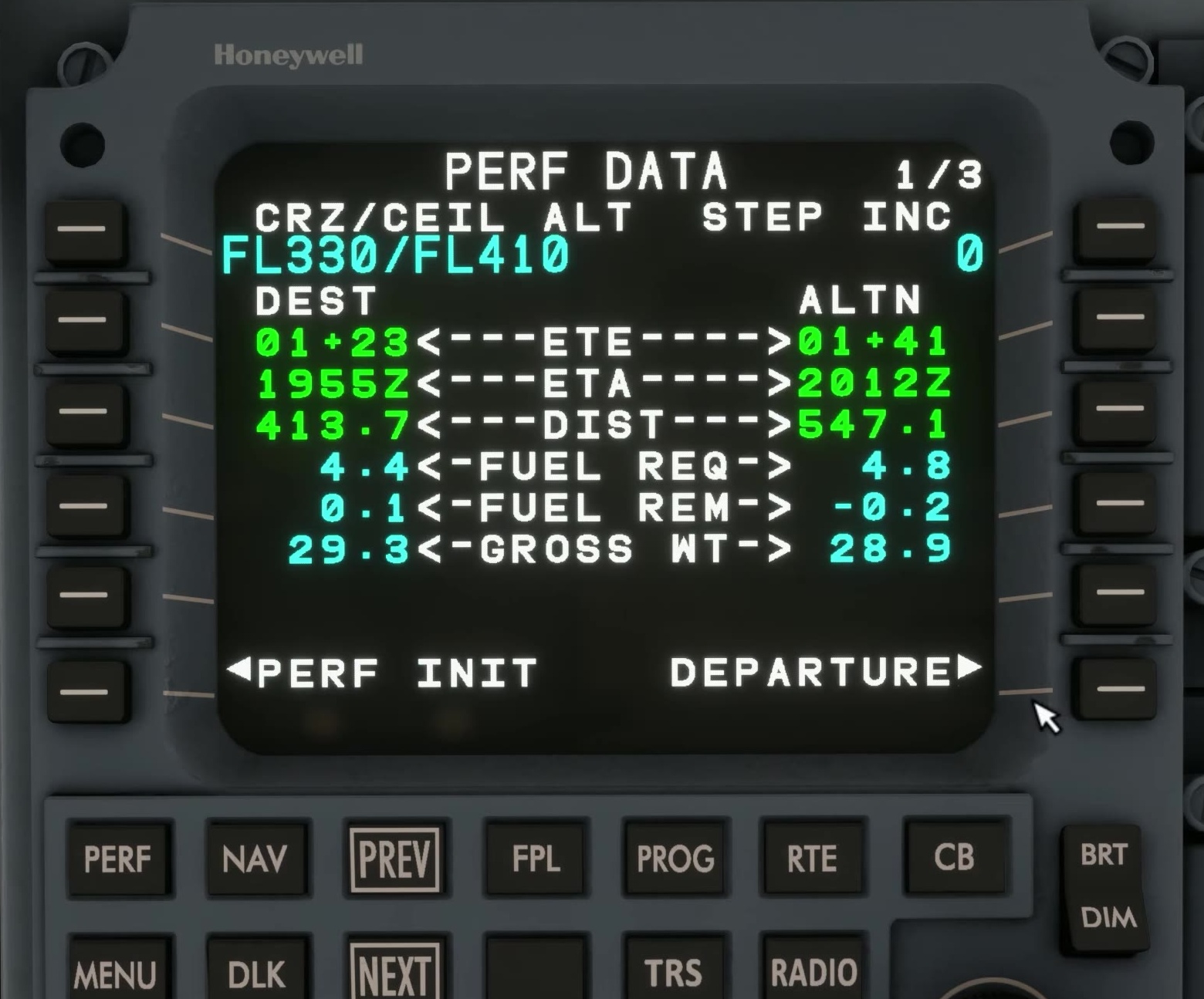
Check the destination and alternate predictions on PERF DATA 1/3. From PERF INDEX, open the separate CLIMB, CRUISE and DESCENT pages to review their predictions. If a prediction is missing or implausible, recheck the inputs and route.
After an edit
After changing PERF INIT data, press CONFIRM INIT again to recalculate the profile.
Profile result
If the problem remains, capture the aircraft version, flight plan, PERF INIT pages and any alerts. [24]