DETAILED WALKTHROUGH / ROUTE
FMS direct-to
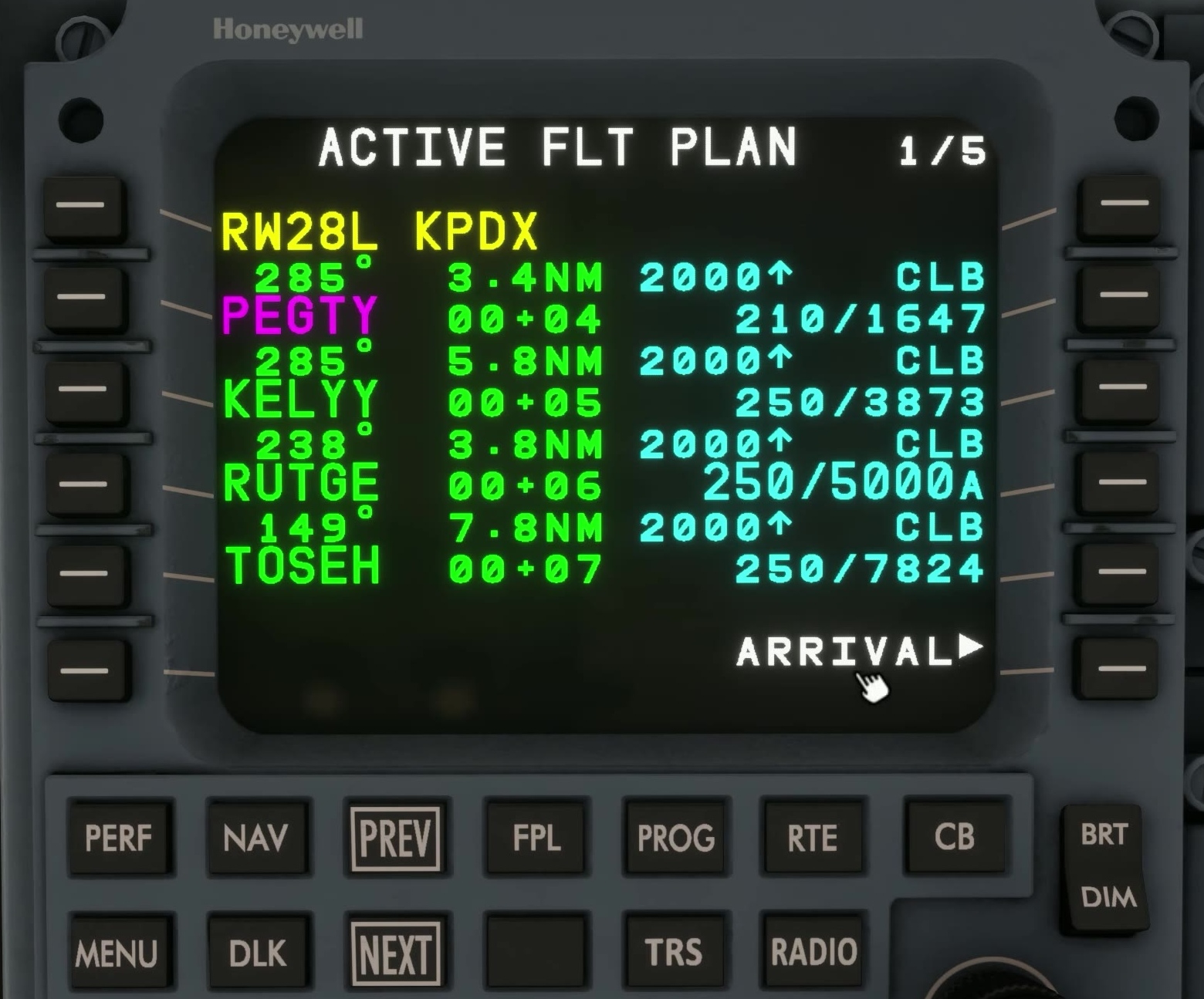
Open FPL
Press FPL. Use NEXT or PREV to find the fix named in the clearance.
Select the fix
Press the left line-select key beside the intended fix. FSS uses this action for direct-to.
MOD route
The MCDU opens a proposed MOD route. Inspect it before ACTIVATE.
Route geometry
Check skipped legs and terrain.
Identify the new line, first turn and skipped legs. Compare the proposal with the clearance and terrain.
ACTIVATE or CANCEL
Select ACTIVATE to use the MOD route. CANCEL deletes the entire pending MOD plan, including other unsaved edits. [20]