Monitor the engine start
Start conditions
Complete the before-start flow, secure the aircraft and establish the required pneumatic and electrical supplies.
Check the engine controls
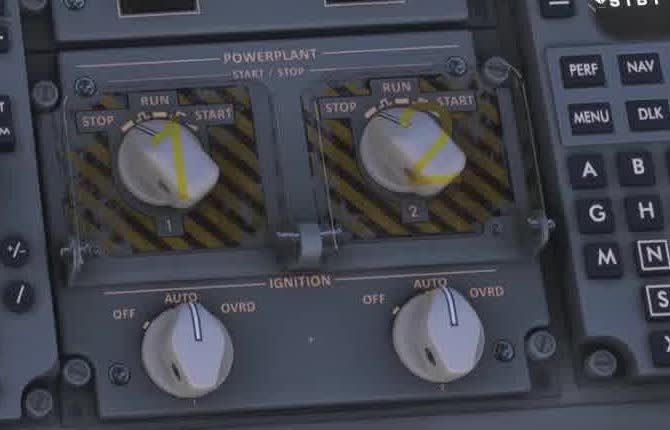
FSS describes momentary START and RUN for normal engine operation. STOP commands shutdown only when the associated thrust lever is at IDLE.
Engine start
Start the appropriate engine using the current FSS procedure. Monitor the engine indications and any CAS messages throughout.
Watch the sequence
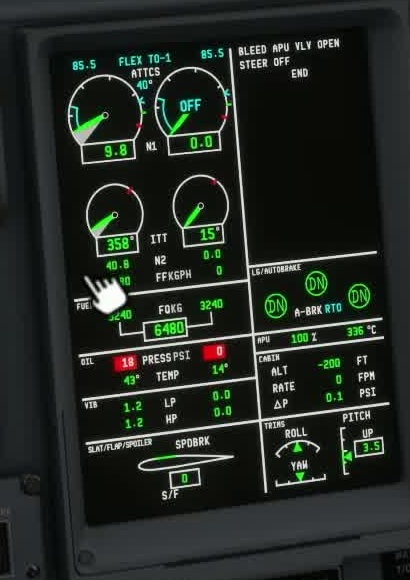
Check that the start develops as expected: rotation, fuel indication, temperature and acceleration toward stable idle. Do not diagnose one missing value without checking the start phase and source state.
Stable engine indications
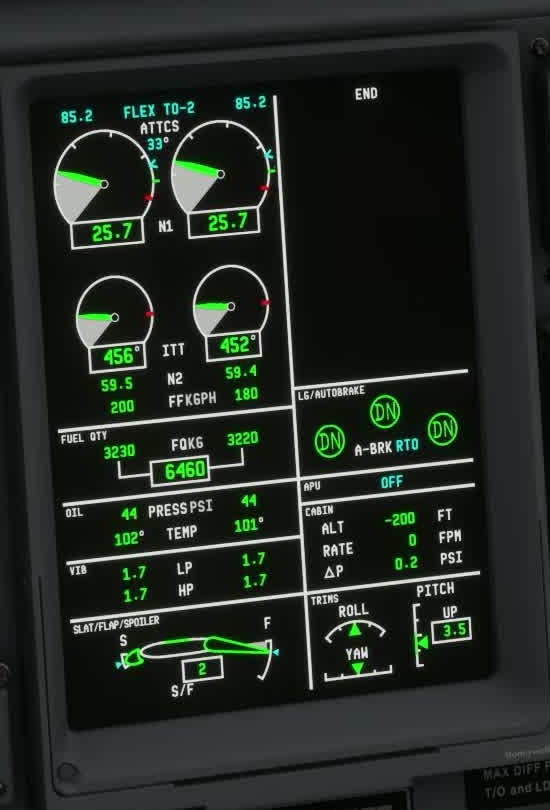
Compare the engine indications with the other engine when available and ensure no unexplained alert remains.
Check the power transfer
Watch power and bleed transfer.
No values are prescribed here.
Use ELEC and ECS to follow the handover from the previous source. FSS recommends waiting 30 seconds after N2 stabilises before switching off the APU or disconnecting the GPU. Alternatively, follow the transfer on the electrical synoptic.
Record the supply, selector positions, N2, fuel flow and CAS state. Check for conflicting hardware bindings.
In Service Update 1 (version 1.1.0), residual engine heat can delay fuel introduction after a short turnaround. The FSS checklist calls for a fuel-flow indication at 20% N2 but does not identify which display. Its FUEL synoptic page separately describes the fuel-line indication, while EICAS has a numerical engine fuel-flow value. If ITT is above 120°C, Service Update 1 says the engine first dry-motors until it cools below that threshold; fuel introduction is delayed during that phase. The checklist cue may therefore occur later than usual. Continue to monitor N2, ITT, the fuel indications and CAS. FSS Service Update 1 [2] · FSS checklist [116].
For dry motoring, the FSS limitations page lists a starter duty cycle of 90 seconds ON followed by 5 minutes OFF for attempts 1 and 2, and 30 seconds ON followed by 5 minutes OFF for attempts 3 to 5. FSS lists different cycles for ground and in-flight starts. Check the applicable cycle before another attempt; do not use the dry-motoring timings for every start. FSS limitations [10].
The FSS powerplant page describes IGNITION OVRD as continuously activating both exciters while the engine runs. It does not state whether this behaviour is modelled in every build; check the selector and actual indications. FSS powerplant controls [117].