PRACTICE LAB / MCDU
Select a departure transition
Select SID transition
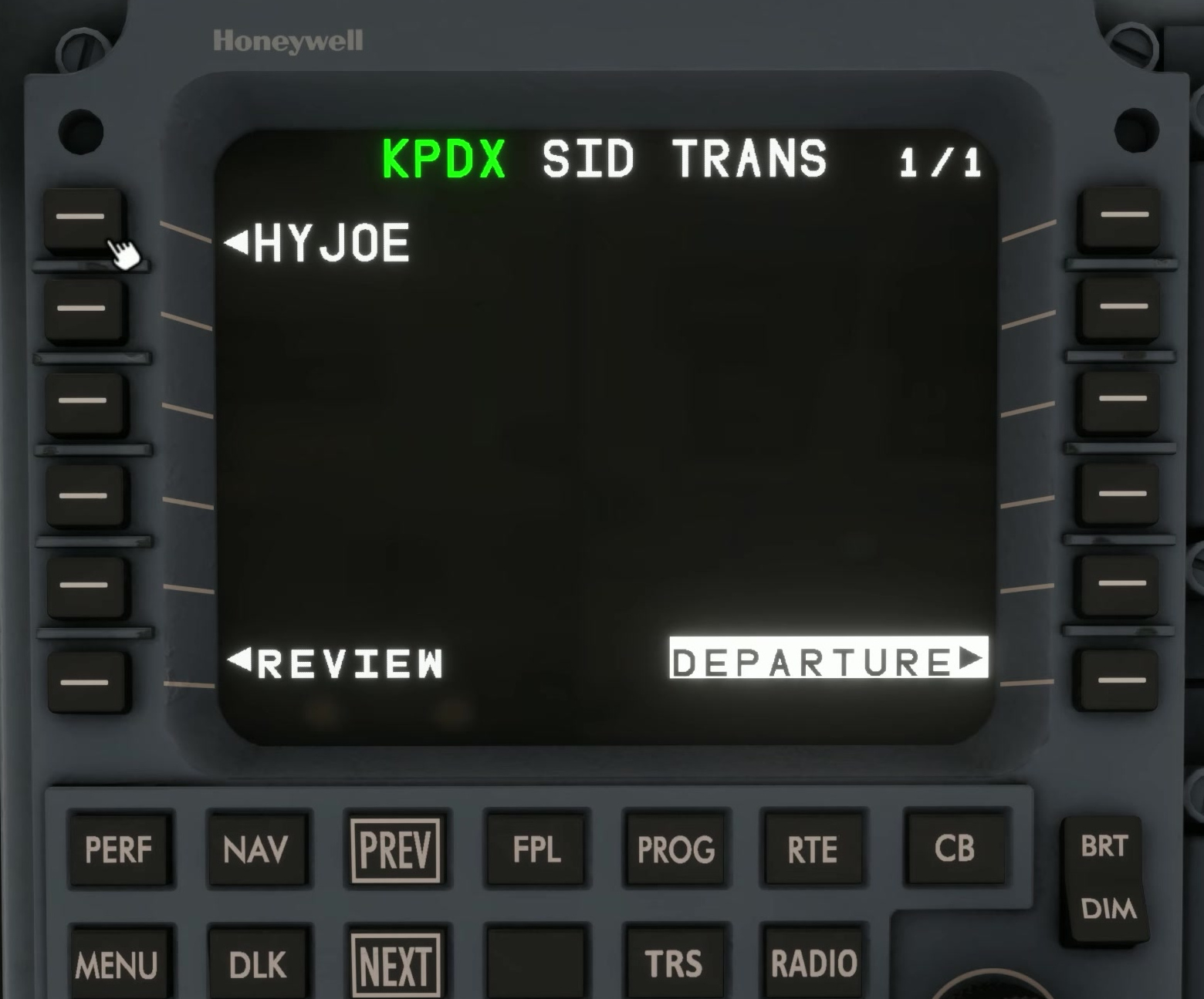
Use a current chart for a simple departure and note the runway, SID and required transition. [87]
Select the runway, SID and transition on the departure page, then apply the choice.
Procedure activation
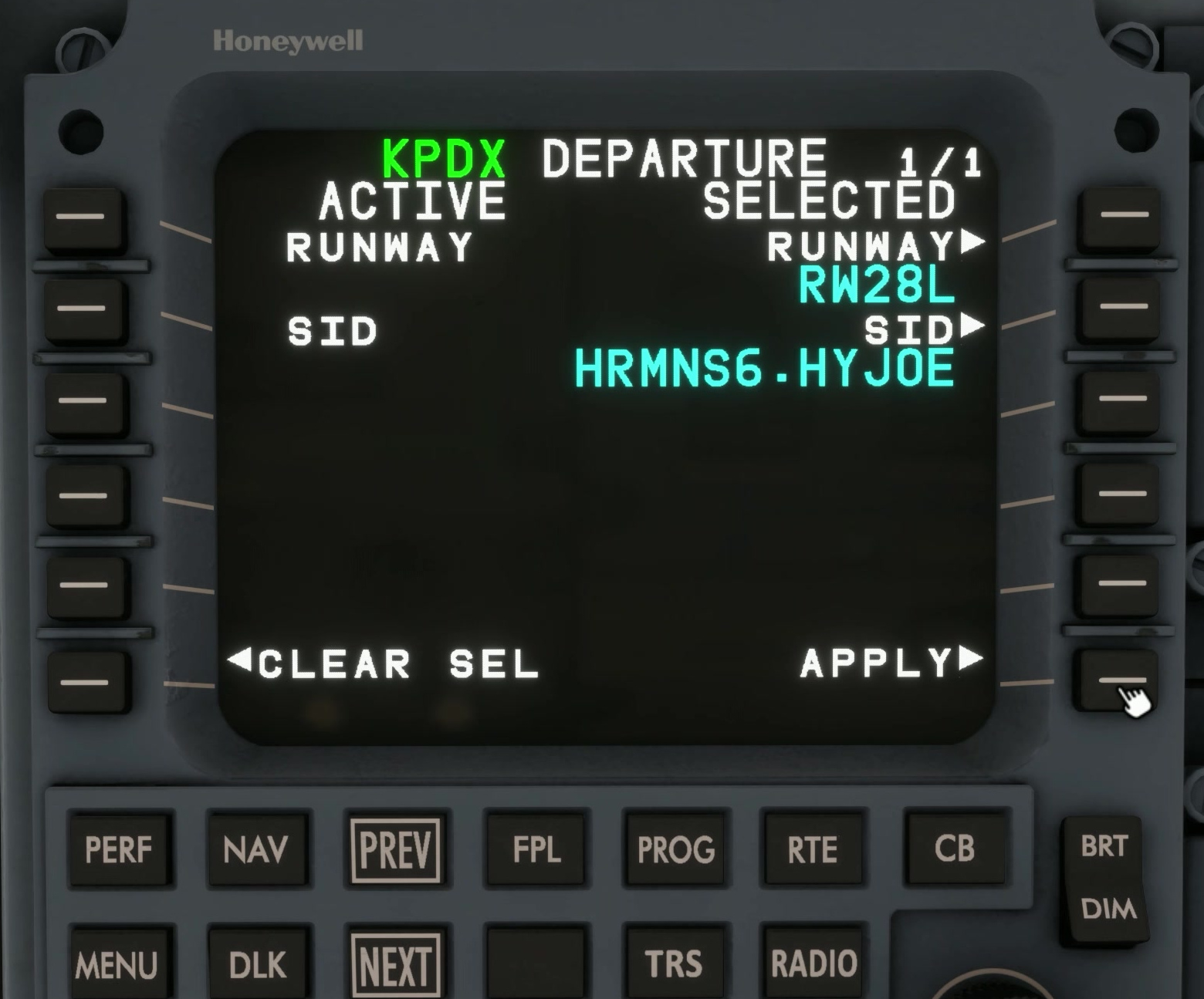
Review the MOD flight plan and map before activation.
FSS describes the departure selection as a modification to be applied and reviewed.
Cycle and runway
If the selected procedure is missing or differs from the chart, check the database cycle and runway selection.