PRACTICE LAB / BRAKES
Brake temperature before departure
Open STATUS
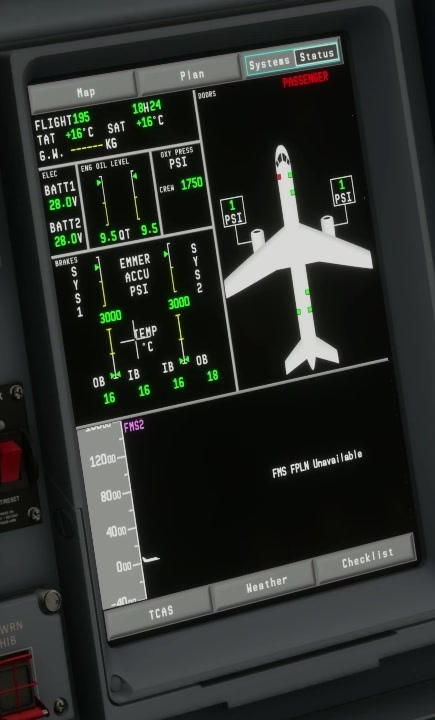
After a simulated taxi or landing, select the MFD STATUS page. [208]
Read each brake-temperature indication before preparing another takeoff.
Takeoff limit
Compare both sides and note the colour of each indication.
FSS says brake temperature must be green for takeoff. Its STATUS page identifies amber digital temperature as a no-takeoff range.
Temperature to record
Wait and reassess according to the applicable simulator procedure rather than resetting the indication to make it disappear. [10]