Electrical and pneumatic power
Connect a GPU
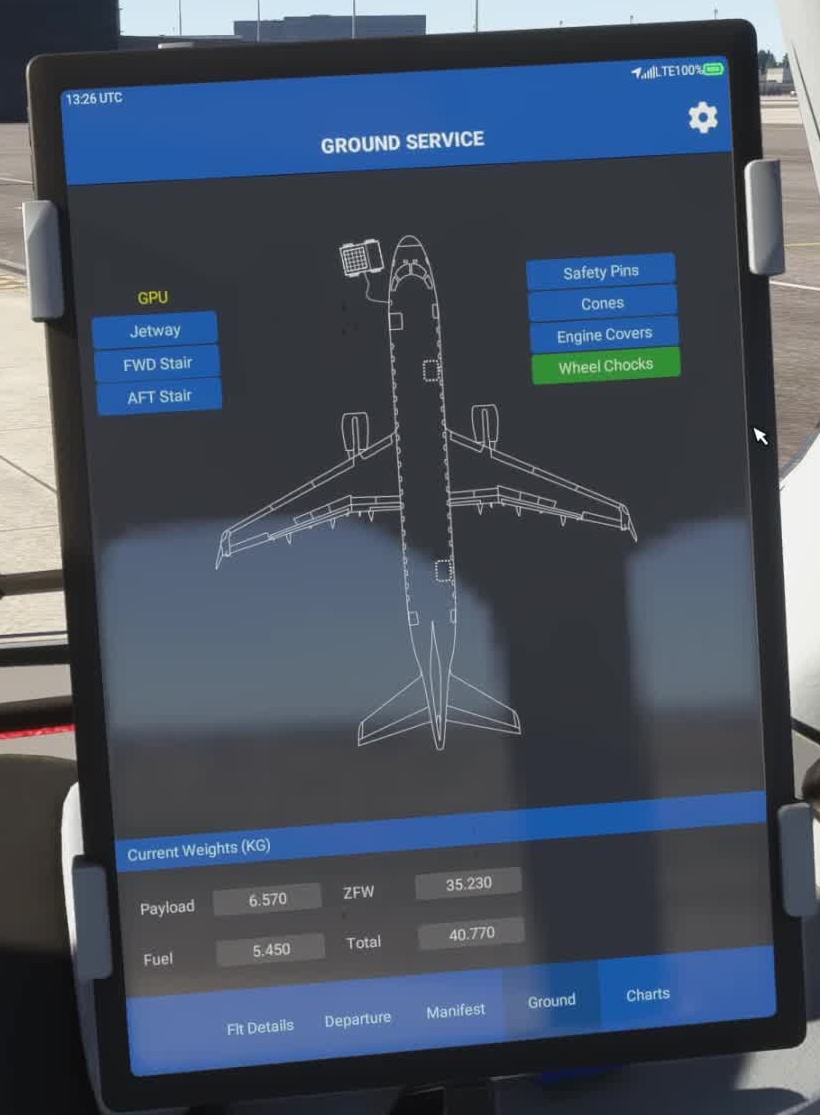
Use the available EFB or ground service interface to connect external power. Confirm the GPU is available.
Set the batteries
Set battery 1 to ON and battery 2 to AUTO, as shown in the FSS safety-and-power-up checklist. Check that the expected displays come alive.
Select external power
With GPU available, select it on the overhead. Confirm the source and bus state on the electrical synoptic.
Start the APU
FSS specifies waiting 30 seconds after the EICAS is energised before starting the APU. Move the APU control to ON, then momentarily to START. Watch the APU indications until the source becomes available.
Set basic lighting
Set navigation and emergency-light controls as described in the FSS power-up procedure; use other lighting as needed for the situation.
Check electrical distribution
Read the actual source and bus indications.
Do not assume transfer.
On ELEC, confirm the source supplying the buses. An available APU is not necessarily the same as an APU generator supplying a bus.
Check pneumatic supply
On ECS, inspect the source and manifold indications.
On ECS, check the relevant bleed and manifold indications for the intended engine-start setup. [9] [10]