Thrust rating and N1
Thrust rating
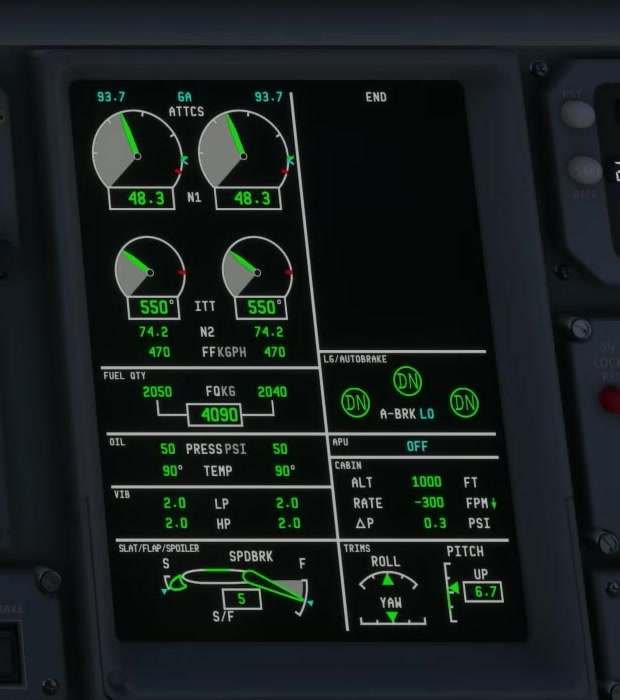
Read the active thrust-rating label on EICAS and compare it with the flight phase. FSS says GA thrust rating can appear in flight with the landing gear and flaps down. This EICAS label is separate from GA on the PFD FMA.
N1 target
FSS describes the N1 target readout and bug as the maximum N1 for the current thrust-rating mode. The N1 request indication is a separate indication of a temporary difference between actual and requested N1.
Read both engines
Compare the actual N1 indications and trend. Consider the selected thrust, phase and aircraft state before assuming that a small difference is a fault.
Engine indications
Review temperature, fuel and oil indications and the CAS stack as appropriate.
Bleed and anti-ice demand
A change in bleed or anti-ice demand can affect the engine context. Compare the actual system configuration with the takeoff dataset where applicable.
During reverse
Check for the green deployed indication and maintain directional control. FSS also describes transit and disagreement indications; check the EICAS display and aircraft response. [75]