Altitude, height and the selected target
Barometric altitude depends on the altimeter setting. Height above the field is a separate value. With the local pressure set, an indicated altitude of 1,800 ft at an airport elevation of 1,000 ft is approximately 800 ft above field elevation.
Barometric setting
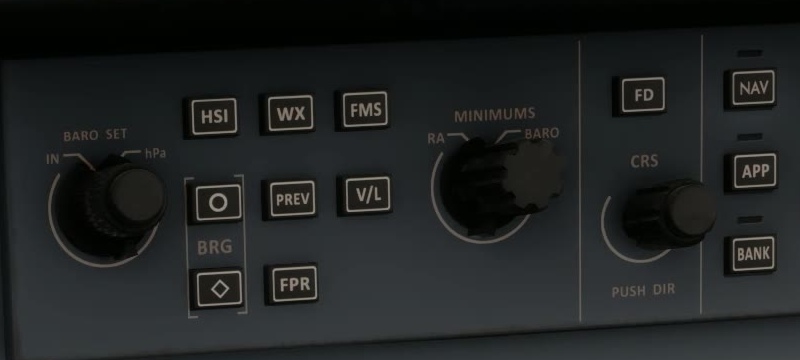
Set and cross-check the barometric reference appropriate to the flight phase. FSS describes a PUSH STD function for standard pressure.
Select the clearance
Set the initial cleared altitude and verify the number in the altitude preselector.
Indicated altitude
Use the rolling digits and tape. A selected altitude is a target, not the present altitude. FSS says radio altitude appears only when valid and below 2,500 ft; it is a separate reading.
Altitude trend
FSS describes the altitude trend vector as the altitude projected six seconds ahead at the current vertical speed.
Confirm capture
Monitor ASEL and ALT as the aircraft approaches and levels at the selected altitude. FSS describes an altitude alert within 1,000 ft of the selected altitude and, after capture, if the aircraft departs it by more than 200 ft. Monitor the aircraft; do not rely on the alert alone.
For example, the supplied Petro Air E170 procedure sets standard pressure at the transition altitude on climb and local QNH at the transition level on descent. It also calls for the standby and both primary settings to be cross-checked [L02, PDF p. 103]. Use the published transition altitude and level for your simulated flight.
From version 1.1.0, the MCDU can show CHECK BARO SET when the pressure setting does not match the transition altitude. Check the applicable transition altitude or level and verify the pressure setting; the message does not replace that check. FSS Service Update 1 [2].
If the selected altitude is beyond the visible tape, half of its bug remains at the top or bottom to show its direction. If barometric altitude or the correction data is invalid, FSS says the altitude data is removed and an X covers the tape. Do not read the selected altitude as a replacement for actual altitude.
The vertical-speed scale shows the actual rate with a green pointer. In VS mode, the selected rate and cyan bug show the target. If pressure-altitude data is invalid, FSS says an X replaces the scale indication; invalid altitude or rate data can also replace the digital rate with dashes.
To select VS, press the VS button on the guidance panel and use the VS thumbwheel to set the target. FSS gives a selection range of −8,000 to +6,000 ft/min. A selected rate is a target, not a guarantee that the aircraft can maintain a safe speed: monitor airspeed and thrust throughout. FSS vertical modes [38]. [62]