FMS and manual speed control
FMS or MAN tells you where the selected speed comes from. SPDt or SPDe tells you how the aircraft is controlling speed. They answer different questions.
Find the target
Check the speed target and whether it comes from the FMS schedule or a manual selection.
Read the FMA
FSS defines SPDt as speed controlled by thrust. SPDe holds a thrust setting while pitch guidance controls speed.
Vertical FMA
FSS lists SPDt with FPA, VS, GS, PTH, GP, ALT and ASEL. It lists SPDe with FLCH, OVSP and VNAV FLCH. Check the actual FMA; these are the documented mode pairings.
Watch the levers
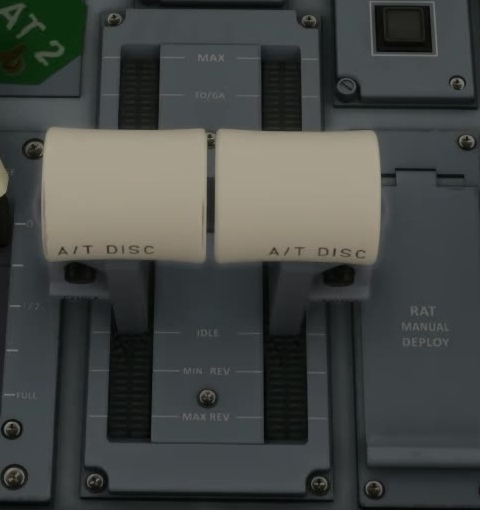
Confirm autothrottle status and lever movement. A displayed target does not guarantee that the system has enough authority to reach or hold it.
Manual speed selection
When Overridable Autothrottle is enabled, the EFB Settings page says lever input can override A/T without disconnecting it. The general disconnect instructions do not say clearly whether they apply only with that option off; they also differ at exactly 60 kt. Check your installed build and the FMA.
A/T disconnect
Read the warning and acknowledge it as documented, then manage thrust manually. Confirm the FMA and actual lever response. [51] [50] [24] [91]