Takeoff data by aircraft variant
Aircraft configuration
REF ECS and REF A/I set the assumed bleed-air and anti-ice configuration used for the takeoff N1 calculation. They do not switch the packs or anti-ice on.
Open TRS
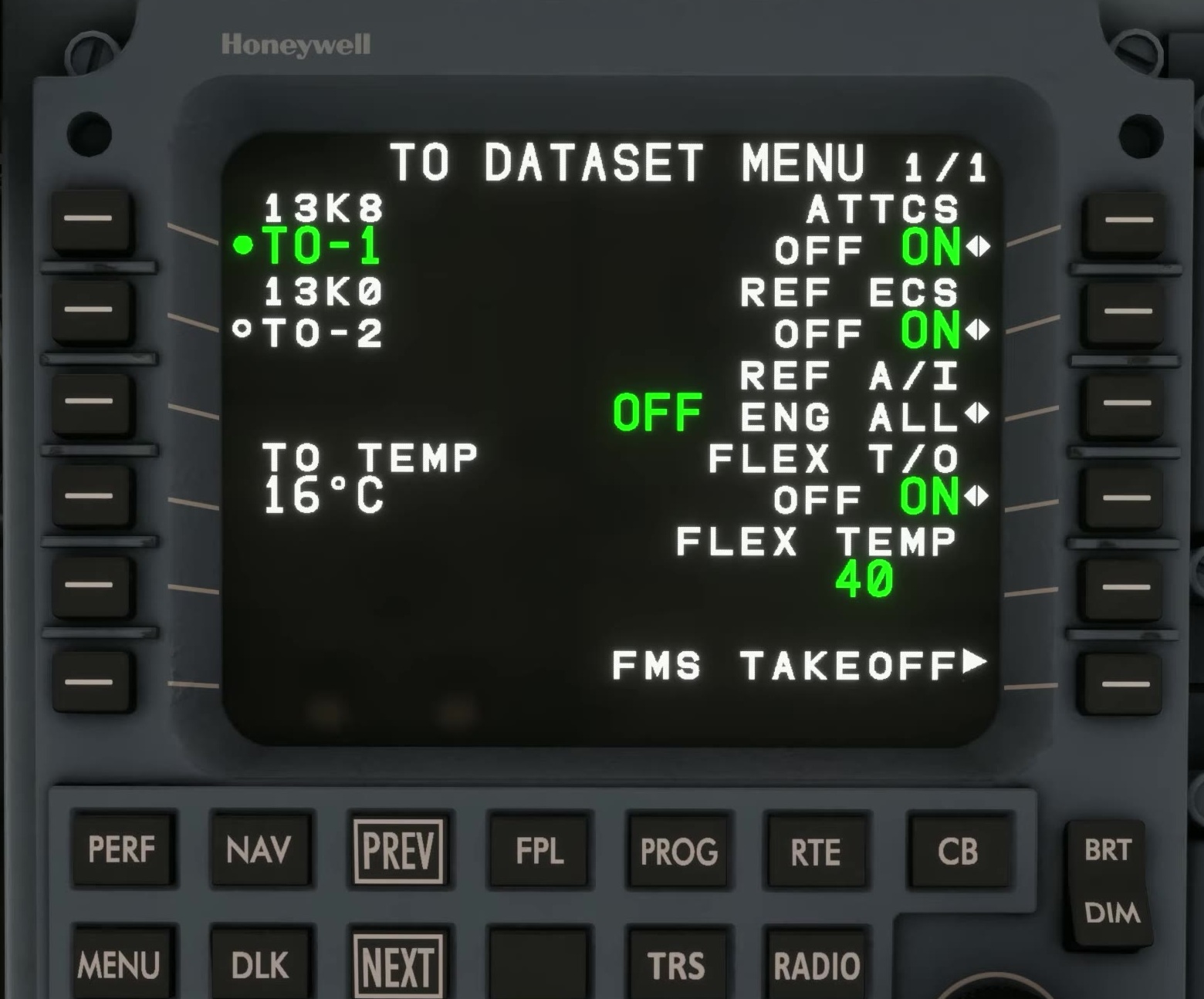
Press TRS on the MCDU and access the takeoff dataset menu.
Dataset references
Compare REF ECS and REF A/I with the intended actual bleed and anti-ice configuration. REF ECS is an assumption for takeoff N1; it does not command the packs. Check the other dataset items and temperature inputs appropriate to the planned departure.
Enter the dataset
FSS says the data is transmitted only after the dataset is accepted with the ENTER prompt. Check that the expected selection is active.
Compare with the aircraft
Compare the selected references with the actual bleed and anti-ice controls. FSS lists CAS messages for some mismatches.
Repeat after a change
Re-enter the dataset if bleed, anti-ice or temperature inputs change after the calculation. [115] [102]