ILS capture
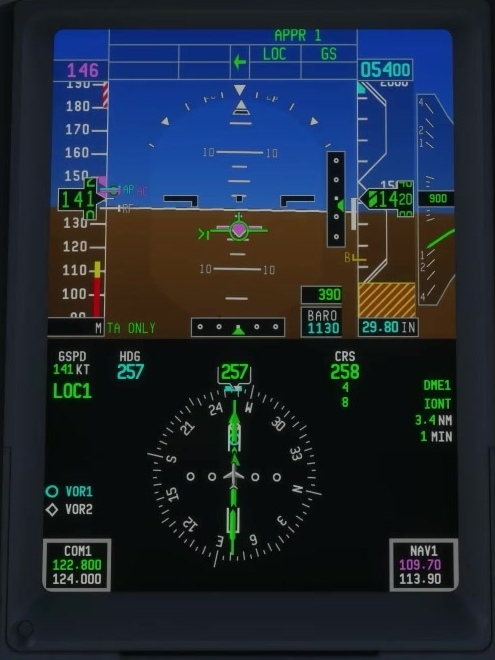
An ILS supplies lateral and vertical guidance. It does not by itself mean the aircraft will land automatically. Brief the approach and missed approach before beginning.
Verify the approach
Compare runway, localizer frequency and course with the current chart. Check the displayed navigation source and identify the expected indications.
Set up the intercept
Use the clearance and chart to position the aircraft for a manageable intercept. Keep the aircraft within the published altitude and speed constraints.
Arm approach guidance
If FMS is the active source, confirm that the appropriate LOC1 or LOC2 preview is displayed before pressing APP. FSS says APP has no effect in FMS source without NAV preview.
Confirm localizer and glideslope
Read the FMA as each mode captures and check the lateral and vertical deviation indicators. A selected APP button alone does not establish capture.
Set missed-approach altitude
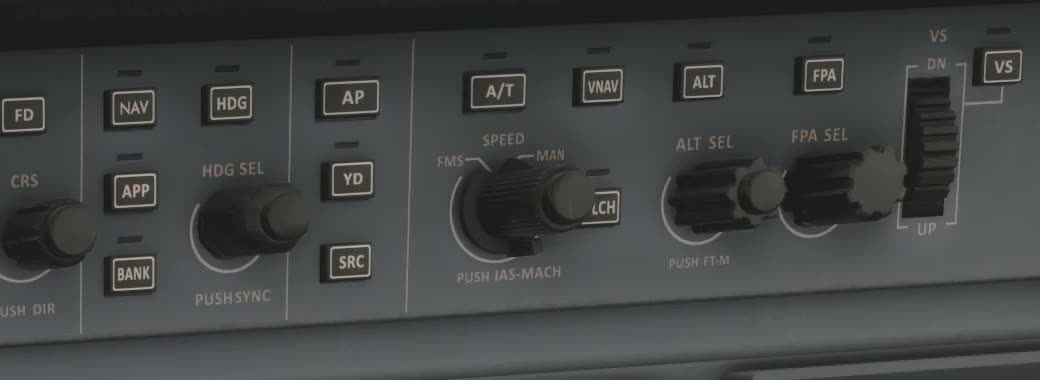
After GS capture, set the missed-approach altitude when appropriate. FSS says GS guidance does not require ALT SEL to be lowered to continue the approach.
Unstable approach
Manage speed and landing configuration. If the indications or aircraft response are inconsistent, discontinue the approach and follow the missed-approach procedure. [9]